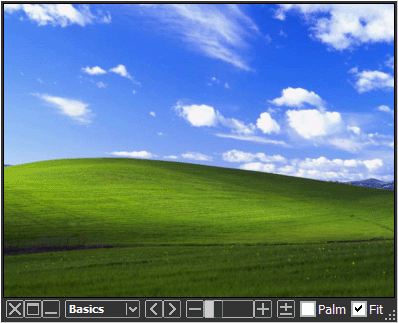
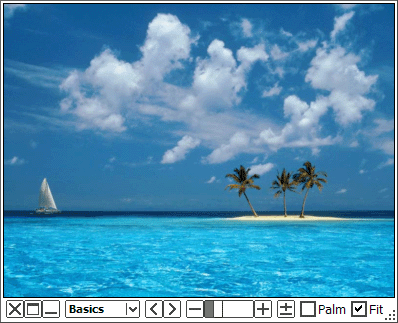
   | A Simple and Flexible Image Viewer Moo0 Image Viewer SP is a new breed of image viewer which we Moo0 developers present with passion. Its window occupies minimum space on desktop and also resizes very flexibly. Also, it now has many useful filters in its compact body. For example, "Cartoon Reader" filter can make image texts far more readable, and "Clear Photo" filter can make some pictures look far more dynamic. Do you sometimes want to see pictures in your own taste? or want to keep multiple pictures open on desktop? Then, this program may be the one you've been looking for. Further more, this SP version is equipped with easy-to-use edit / save functionalities, including the ones which enable you to easily save images in the sizes / colors / shapes of your needs, easily take the screenshots of specific windows, convert multiple images into the required styles at once, and so forth. Please try out this program once! This may be the image viewer you've been looking for. Tips:[Double-Click] - Maximize / Restore Window [Middle-Button Click] - Close Window [L/R Arrow Key] - Go Previous / Next Image [Del Key] - Delete the current image file
Please try [Middle-Button Scroll], [U/D Arrow Key] when it's on fit mode. The window will resize very flexibly together with the image.
Russian (Revision) support was made possible by Nikitich. Thanks really a lot!! Update (2019/05/27): - Quick bug fix on the previous version, in which the file dialog was crashing when changing the extension type. Update (2019/05/26): - Officially supported Windows 8.1 and 10, finally. - Started to include the 64-bit version of the program inside the same installer. - Some bug fixes on Png image read and write. - Some bug fixes on the installer. - Supported 6 more languages for the installer. (Spanish, Portuguese, Brazilian Portuguese, Polish, Indonesian, Vietnamese) | ||||||
| Page Title: | |||||||
| Page URL: | |||||||
| HTML Tag: | |||||||
| Language: | Arabic, Belarusian, Chinese (Simplified), Dutch, English, French, German, Greek, Hungarian, Indonesian, Italian, Japanese, Korean, Polish, Russian, Spanish, Turkish, Ukrainian - [ Translators (30) ] | ||||||
| OS: | Windows XP/2003/Vista/7/8.1/10 | Ease of Use: | Easy | ||||
| Version: | 1.83 | ||||||
| Last Updated: | 2019/07/09 [ Update History (29) ] | ||||||
| PAD File: | [ if you are running software listing site... ] | ||||||
| Download: |
| ||||||
| Size: | 4.47 MB | ||||||
| License: | Free to Try
(30 Days Free Trial)
| ||||||
| Feedback: | |||||||
| FAQ: | ■ (Symptom) The program suddenly doesn't start up one day? stopped working properly? on Windows 10/8.1? This probably happens when "Windows SmartScreen" hinders our program from working. In this case, please try the following before the installation. 1. Before the installation, right-click on the installer file and open the file "Property". 2. At the bottom of "General" tab, if you see "Security: This file came from another computer...", select "Unblock" check box, and "Apply" and "OK". 3. If you install the program after it, it may be able to prevent many problems caused by "Windows SmartScreen" or some other security products. Or, you can actually turn off this problematic feature of Windows itself: (only if you feel too troublesome to do this every single time.) https://ugetfix.com/ask/how-to-disable-windows-smartscreen/ This happens to every software vendor who doesn't or can't donate $300 to Microsoft every single year (EV signature purchase), and especially when the program file is still new. This kind of problems started to get reported since the early of 2019. | ||||||
| Reviews: |
Japanese) Moo0 画像閲覧器 SP 1.59 - 画像を好みのスタイルに編集して閲覧できる“新感覚”の画像ビューア (Vector) - Apr 2nd 2009 | ||||||
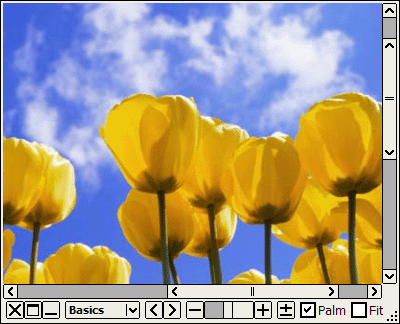
| A Simple and Flexible Image Viewer Moo0 Image Viewer is a very simple and flexible image viewer. Its window occupies minimum space on desktop and also resizes very flexibly. Also, it now has many useful filters in its compact body. For example, "Cartoon Reader" filter can make image texts far more readable, and "Clear Photo" filter can make some pictures look far more dynamic. Do you sometimes want to see pictures in your own taste? or want to keep multiple pictures open on desktop? Then, this program may be the one you've been looking for. Note:Free version is identical to SP version exept the following differences. - Free version adds "Moo0 Image Viewer" text to the images being saved. - Very powerful functionalities by "Convert at Once" are available only in SP version. Please try out Moo0 Image Viewer SP too! Tips: [Double-Click] - Maximize / Restore Window [Middle-Button Click] - Close Window [L/R Arrow Key] - Go Previous / Next Image [Del Key] - Delete the current image file
Please try [Middle-Button Scroll], [U/D Arrow Key] when it's on fit mode. The window will resize very flexibly together with the image.
Russian (Revision) support was made possible by Nikitich. Thanks really a lot!! Update (2019/05/27): - Quick bug fix on the previous version, in which the file dialog was crashing when changing the extension type. Update (2019/05/26): - Officially supported Windows 8.1 and 10, finally. - Started to include the 64-bit version of the program inside the same installer. - Some bug fixes on Png image read and write. - Some bug fixes on the installer. - Supported 6 more languages for the installer. (Spanish, Portuguese, Brazilian Portuguese, Polish, Indonesian, Vietnamese) | ||||||||
| Page Title: | |||||||||
| Page URL: | |||||||||
| HTML Tag: | |||||||||
| Language: | Arabic, Belarusian, Chinese (Simplified), Dutch, English, French, German, Greek, Hungarian, Indonesian, Italian, Japanese, Korean, Polish, Russian, Spanish, Turkish, Ukrainian - [ Translators (30) ] | ||||||||
| OS: | Windows XP/2003/Vista/7/8.1/10 | Ease of Use: | Easy | ||||||
| Version: | 1.83 | ||||||||
| Last Updated: | 2019/07/09 [ Update History (33) ] | ||||||||
| PAD File: | [ if you are running software listing site... ] | ||||||||
| Download: |
| ||||||||
| Size: | 4.47 MB | ||||||||
| License: | Free (Non-Commercial Use Only) Using at Workplace / Internet Cafe?
| ||||||||
| Feedback: | |||||||||
| FAQ: | ■ (Symptom) The program suddenly doesn't start up one day? stopped working properly? on Windows 10/8.1? This probably happens when "Windows SmartScreen" hinders our program from working. In this case, please try the following before the installation. 1. Before the installation, right-click on the installer file and open the file "Property". 2. At the bottom of "General" tab, if you see "Security: This file came from another computer...", select "Unblock" check box, and "Apply" and "OK". 3. If you install the program after it, it may be able to prevent many problems caused by "Windows SmartScreen" or some other security products. Or, you can actually turn off this problematic feature of Windows itself: (only if you feel too troublesome to do this every single time.) https://ugetfix.com/ask/how-to-disable-windows-smartscreen/ This happens to every software vendor who doesn't or can't donate $300 to Microsoft every single year (EV signature purchase), and especially when the program file is still new. This kind of problems started to get reported since the early of 2019. | ||||||||